
Make anything you build buzz your phone.
Your app, your AI agent, your automation — get a buzz on your phone the moment it has news. Copy one line into your project, or just ask your AI to add it. No accounts, no keys, no setup.
fetch("https://lert.dev/p/your-id", {
  method: "POST",
  body: JSON.stringify({
    title: "Deploy finished",
    body: "production · 2m 14s"
  })
})
That's the whole integration. No headers, no token, no library.
Three steps. Setup takes less than 30 seconds.
Download the app
Open it once. That's the entire setup — no account to create.
Copy your link
A private link is waiting on screen the moment you open it. One tap copies it.
Give it to your AI or app
Paste it into your project, drop it in a tool like Zapier, or just hand it to your AI and say "ping me when this happens."
→ Then your phone buzzes. Instantly, even locked in your pocket.
Wrote it yourself or built it with AI — Lert works with all of it. One line of code, or one sentence to your assistant via MCP, and your phone buzzes.
No account. No cost. No setup. No anything.
Every other tool makes you sign up, generate keys, or run a server. Lert makes you copy a link. That's the whole difference.
No account
No email, no password, no sign-up. Open the app and your link is already there.
No cost
Free forever for one channel and 50 notifications a day. Pro is $2.99 only if you outgrow it.
No setup
No API keys, no tokens, no config. The link itself is the only credential you need.
No SDK
Nothing to install. If your app — or your AI — can send a request, it just works.
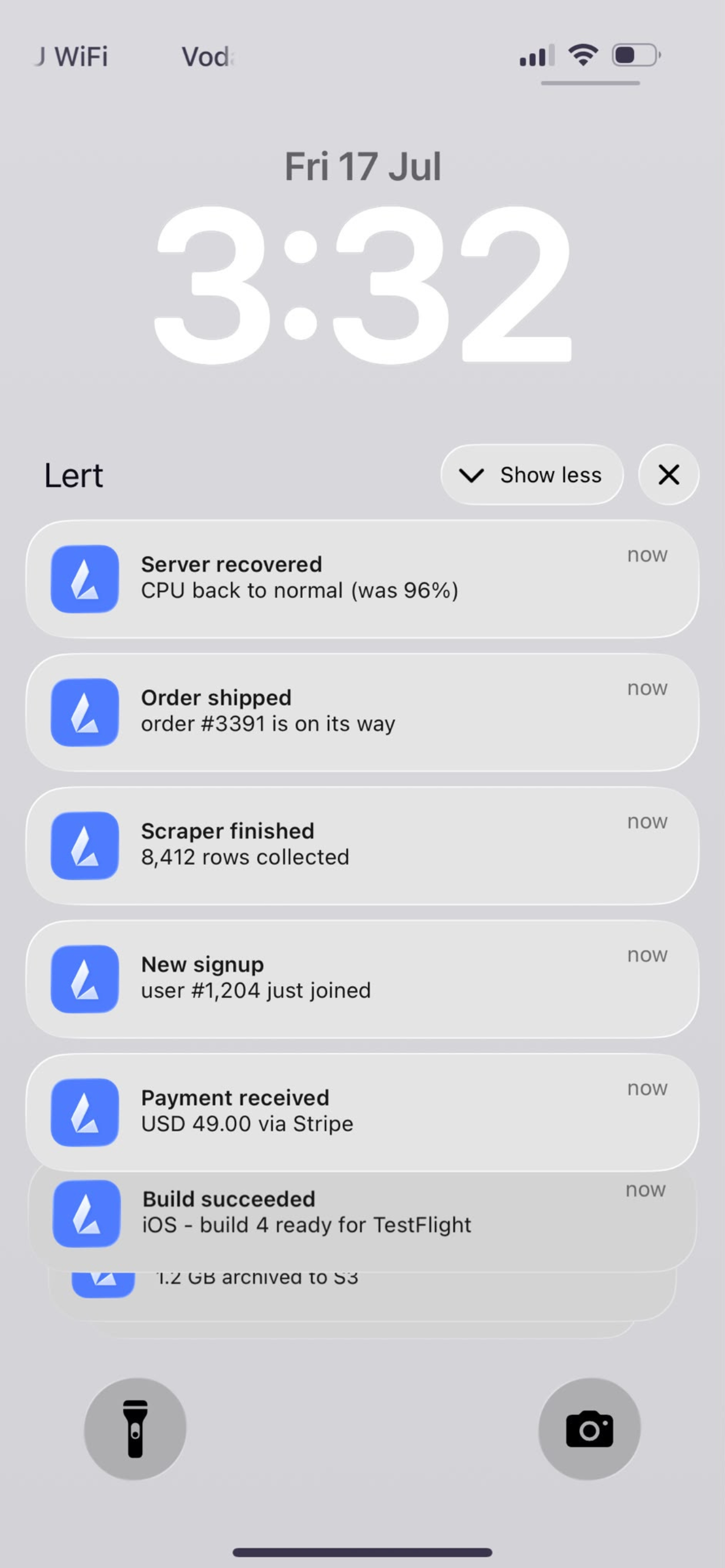
One message, and it's on your lock screen.
Lert delivers a real iOS push — it wakes a locked phone and buzzes your wrist on a paired Apple Watch. Name each channel with an emoji so you know at a glance whether it's a deploy, a sale, or your agent finishing a task.
- Real push delivery, not a poll — arrives instantly
- A separate URL per project, each with its own emoji
- History of everything you've sent
- Leaked a URL? Regenerate it — the old one dies instantly
If it can fire an HTTP request, it can buzz your phone.
A few of the things people wire up in about thirty seconds.
When a deploy finishes
Vercel, Netlify, CI — get pinged the second production is live or a build breaks.
Set it up → 🔔When a webhook fires
Stripe, GitHub, Shopify — forward any webhook to your phone as a notification.
Set it up → ✨Your AI-built app has news
Made something with Claude, Cursor or Lovable? Ping your phone when a user signs up or something breaks.
Set it up → 📊Your AI dashboard hits a number
Built a dashboard with AI? Get buzzed when a metric crosses a line — no need to sit and watch it.
Set it up → 🤖When your AI agent finishes
Walk away while it works. Lert taps you when it's done or needs input.
Set it up → ⏰When a cron job runs
Nightly backups, scheduled scripts — know they finished without opening a terminal.
Set it up → ⚠️When a server needs you
CPU spikes, latency, downtime — a push the moment something crosses a line.
Set it up → 💰When you make a sale
An order lands, a payment clears — the good kind of notification.
Set it up →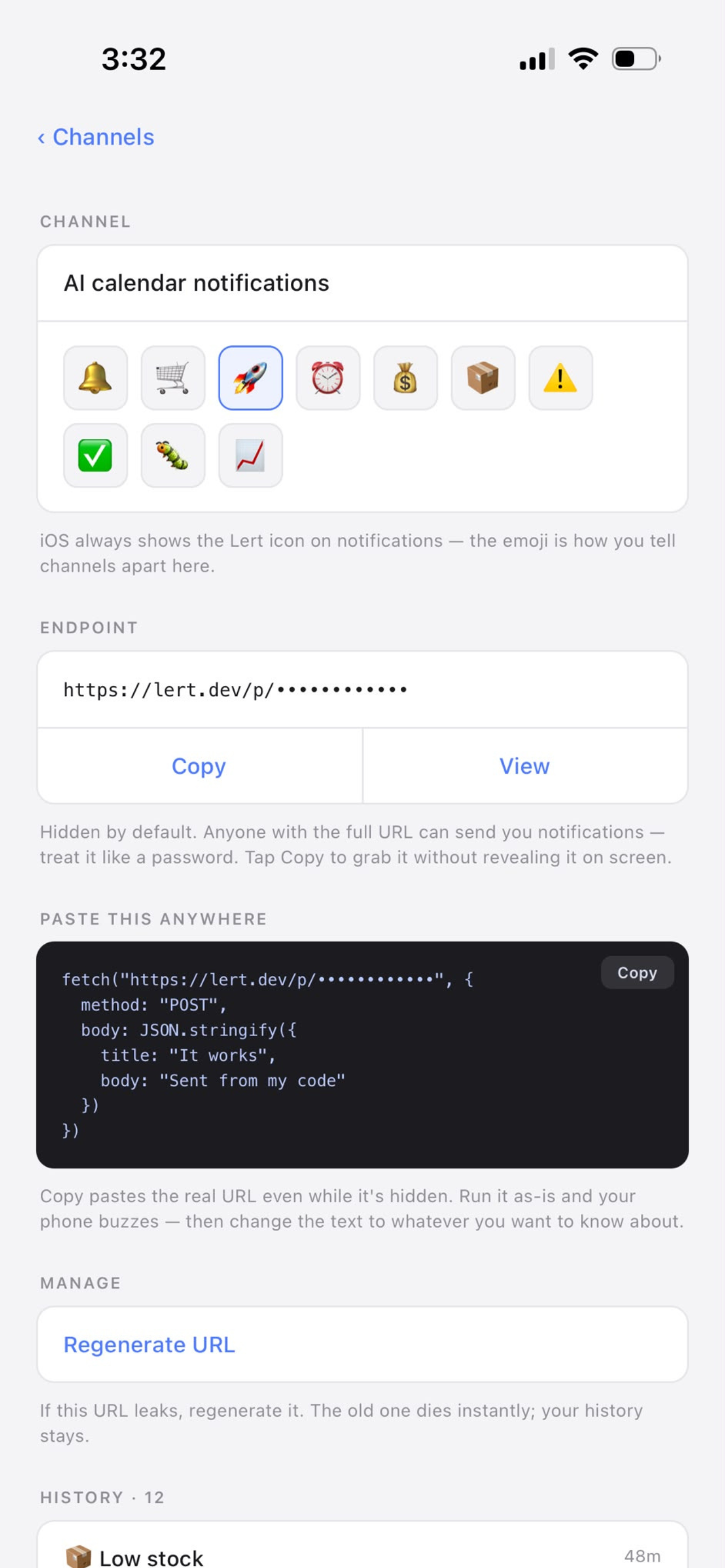
Let your AI coding assistant tap you on the shoulder.
Lert ships an MCP server. Add one URL to an assistant like Claude or Cursor, and it can notify your phone directly — no glue code. Just say "notify my phone when the tests pass."
Free is genuinely useful. Pro is less than a coffee.
Free
- 1 channel
- 50 notifications a day
- 7-day history
- Full API, MCP server, regenerate
Pro
- Unlimited channels
- Unlimited notifications (10k/day fair use)
- 30-day history
- A separate URL per project
Notes on notifying yourself.
The simplest way to send yourself a push notification
A survey of the options — email, Slack, Telegram, self-hosted — and the case for one request.
Read → 🔑The URL is the password
How capability URLs work, honestly: when they're safe, when they're not, and how to rotate.
Read → 🤖What is an MCP server?
Model Context Protocol for developers — and why "notify my phone" is a perfect first tool.
Read →Questions
How do you send a push notification with Lert?
Download the app, copy your unique endpoint URL, and send an HTTP POST to it with a title and body. Your phone buzzes within a second or two. No headers, no auth token, no library.
Does it need an account or API key?
No. There's no sign-up and no key. The unique URL is the authentication — treat it like a password, and regenerate it in the app if it ever leaks.
How much does it cost?
Free for one channel and 50 notifications a day. Pro is $2.99/month for unlimited channels, unlimited notifications (10,000/day fair-use cap), and 30-day history.
Can an AI assistant send notifications?
Yes — Lert ships an MCP server. Add it to your AI coding assistant and it can notify your phone directly.
Is it safe to send data through Lert?
Messages pass through our servers to reach your phone, so treat a notification like a postcard — don't send secrets or sensitive personal data. See the privacy policy.
Stop babysitting your own code.
Download Lert, copy your URL, and get your attention back. One request and your phone does the waiting for you.